ShipCraft WooCommerce Table Rate Shipping

Shipping prices that match what you really pay to ship.

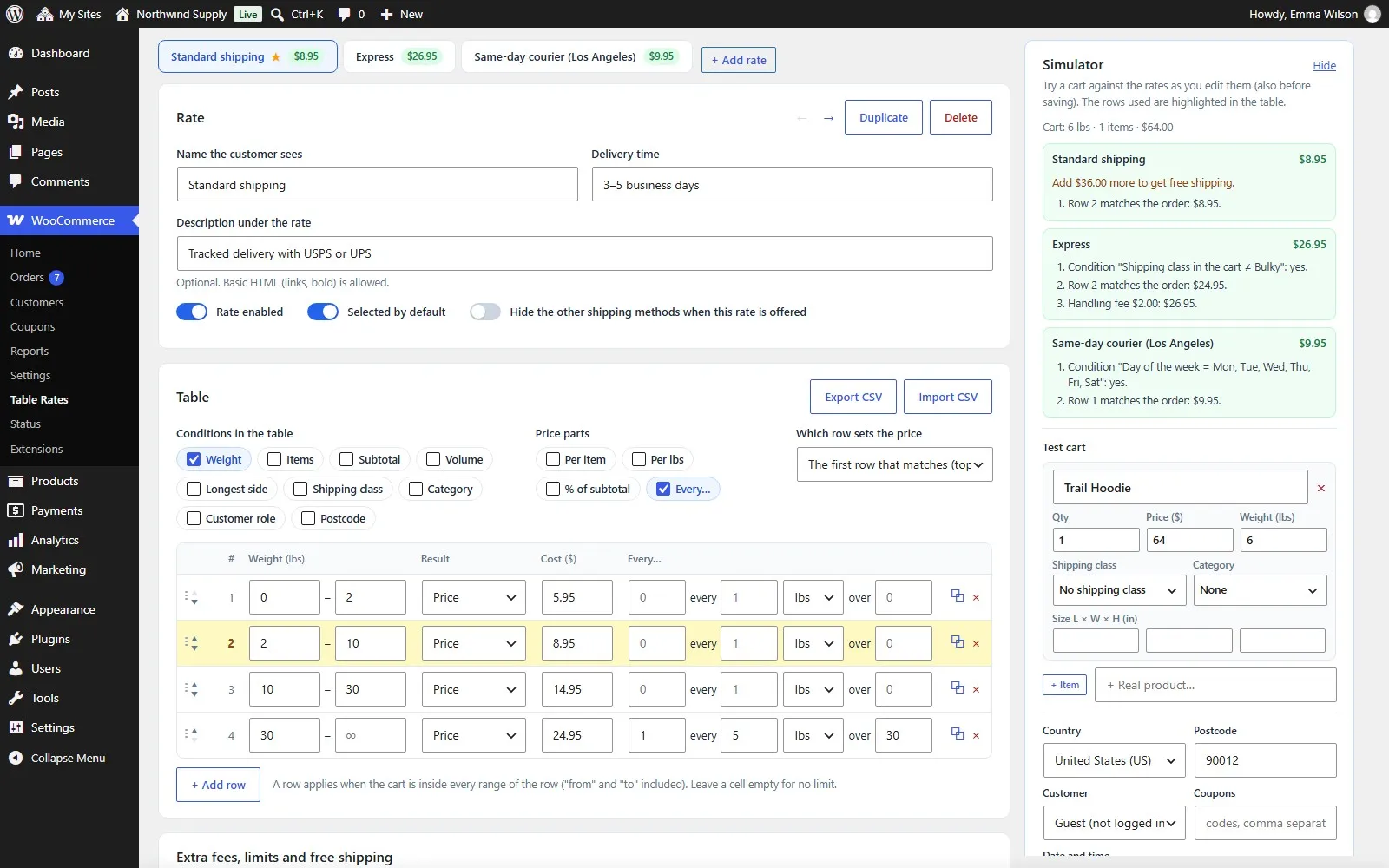
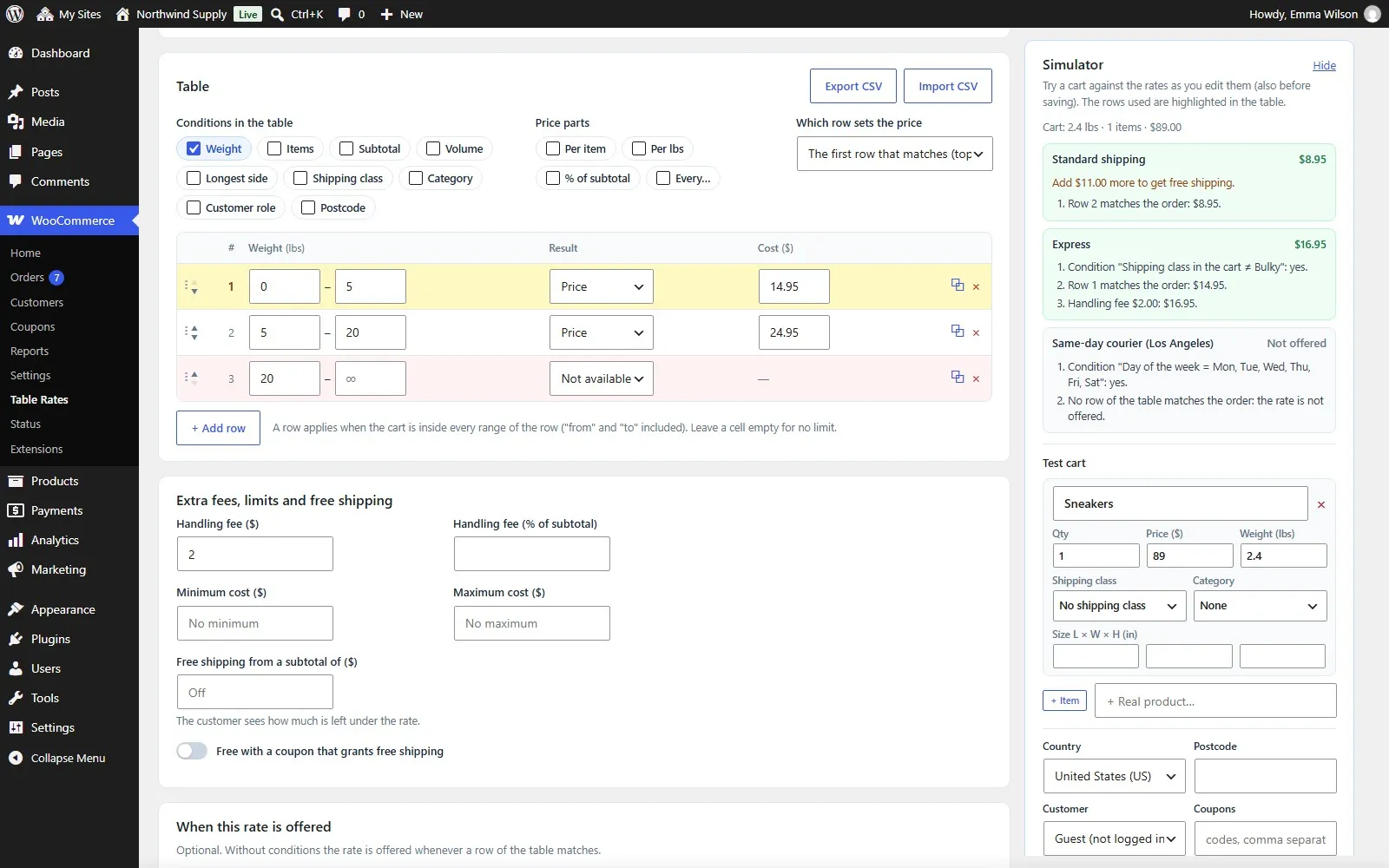
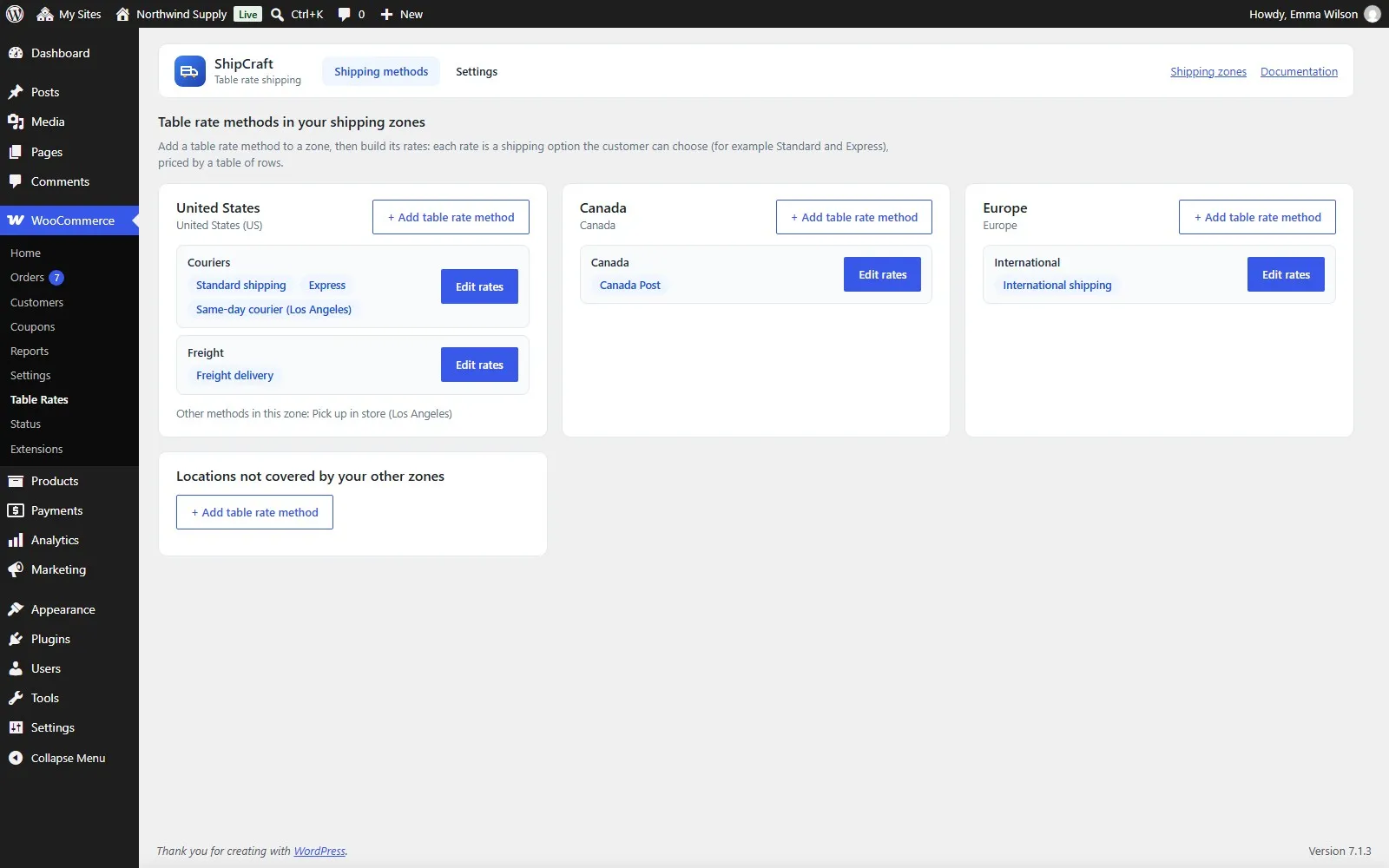
ShipCraft adds a table rate shipping method to your WooCommerce shipping zones. Build each rate like a spreadsheet: rows with ranges of weight, number of items, subtotal, volume or longest side, and lists of shipping classes, categories, customer roles and postcodes. Offer several rates per zone – Standard, Express, Freight, Same-day – each with its own table.

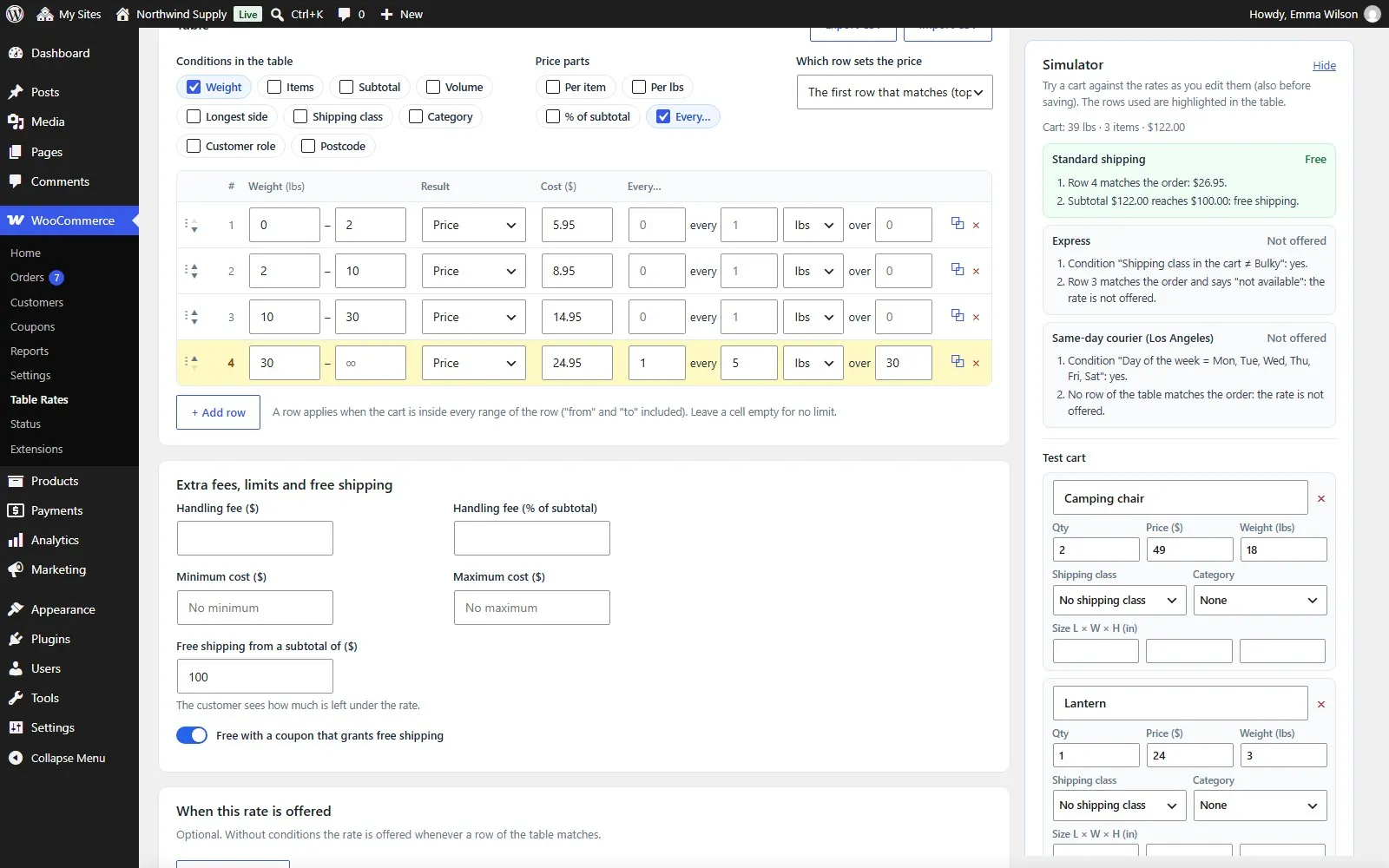
A built-in simulator prices a test cart while you edit, highlights the rows it used and explains every step, so you know exactly what your customers will pay.

Yearly or lifetime licence (69 USD for 1 site), also for 5 or unlimited sites. 14-day money-back guarantee, no questions asked. If the licence expires the plugin keeps working; only updates and support stop.
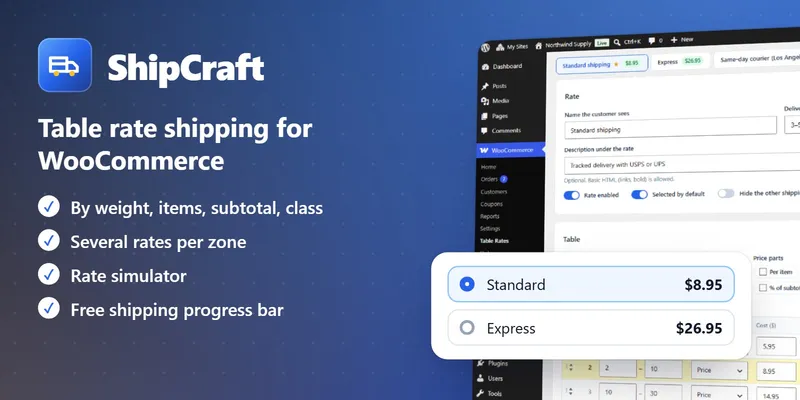
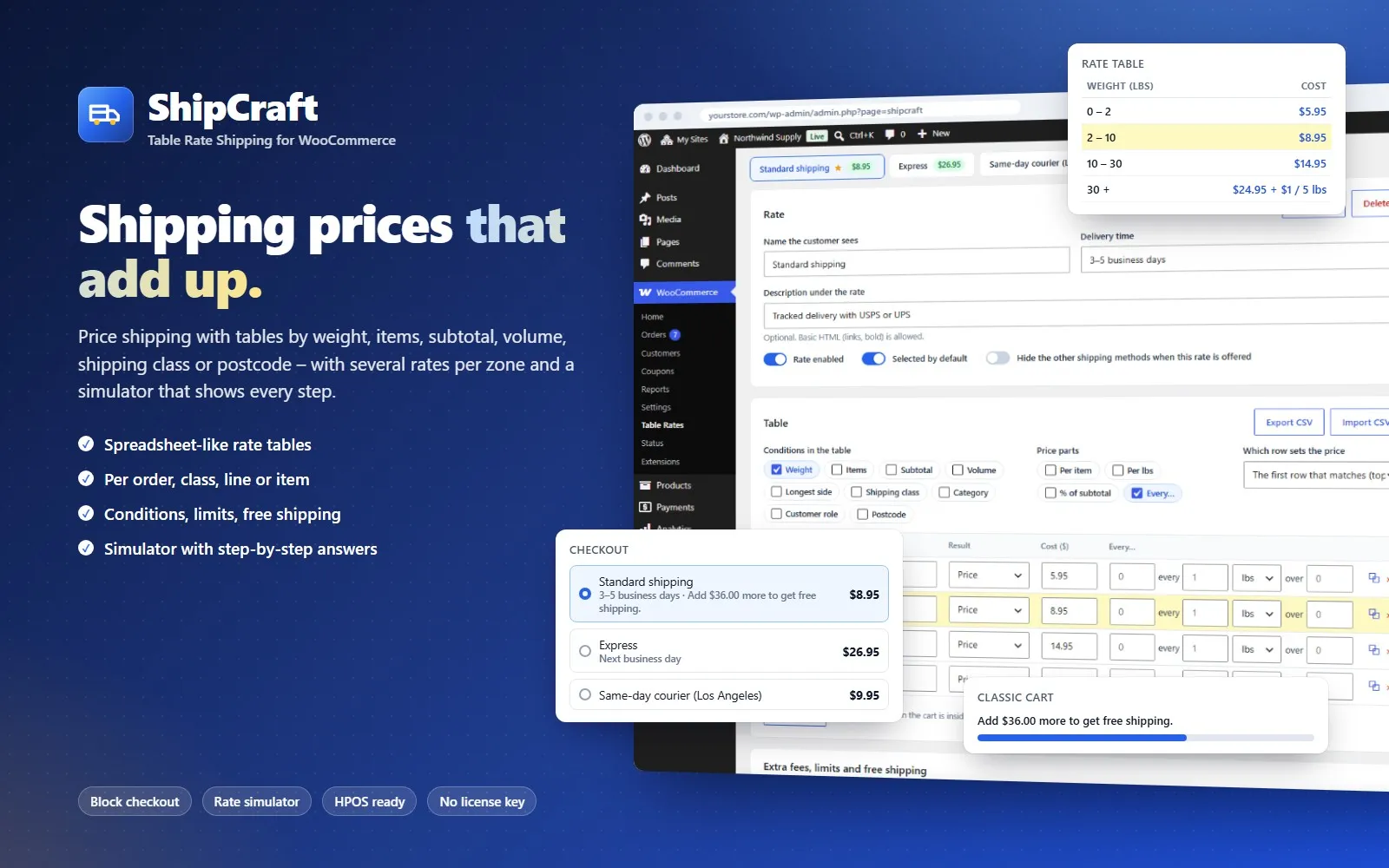
ShipCraft – WooCommerce Table Rate Shipping

ShipCraft in 45 seconds

What ShipCraft does

Rate tables

  • Choose the columns you need: weight, items, subtotal, volume, longest side, shipping class, category, customer role, postcode
  • Ranges with "from" and "to" (both included), empty cells for no limit
  • Postcodes with wildcards and ranges: 28*, 1000...1999, SW1A*
  • Which row sets the price: the first match, the sum of every match, the cheapest or the most expensive
  • Drag and drop rows, duplicate rates, CSV import and export
  • Templates to start: by weight, order amount, items, shipping class or postcode

Row prices

  • Fixed cost + per item + per weight unit + % of the subtotal
  • "X every Y over Z": 1.00 every 5 kg over 20, 2.00 every 3 items…
  • A row can also be free or "not available" (for example over 30 kg)

How the cart is priced

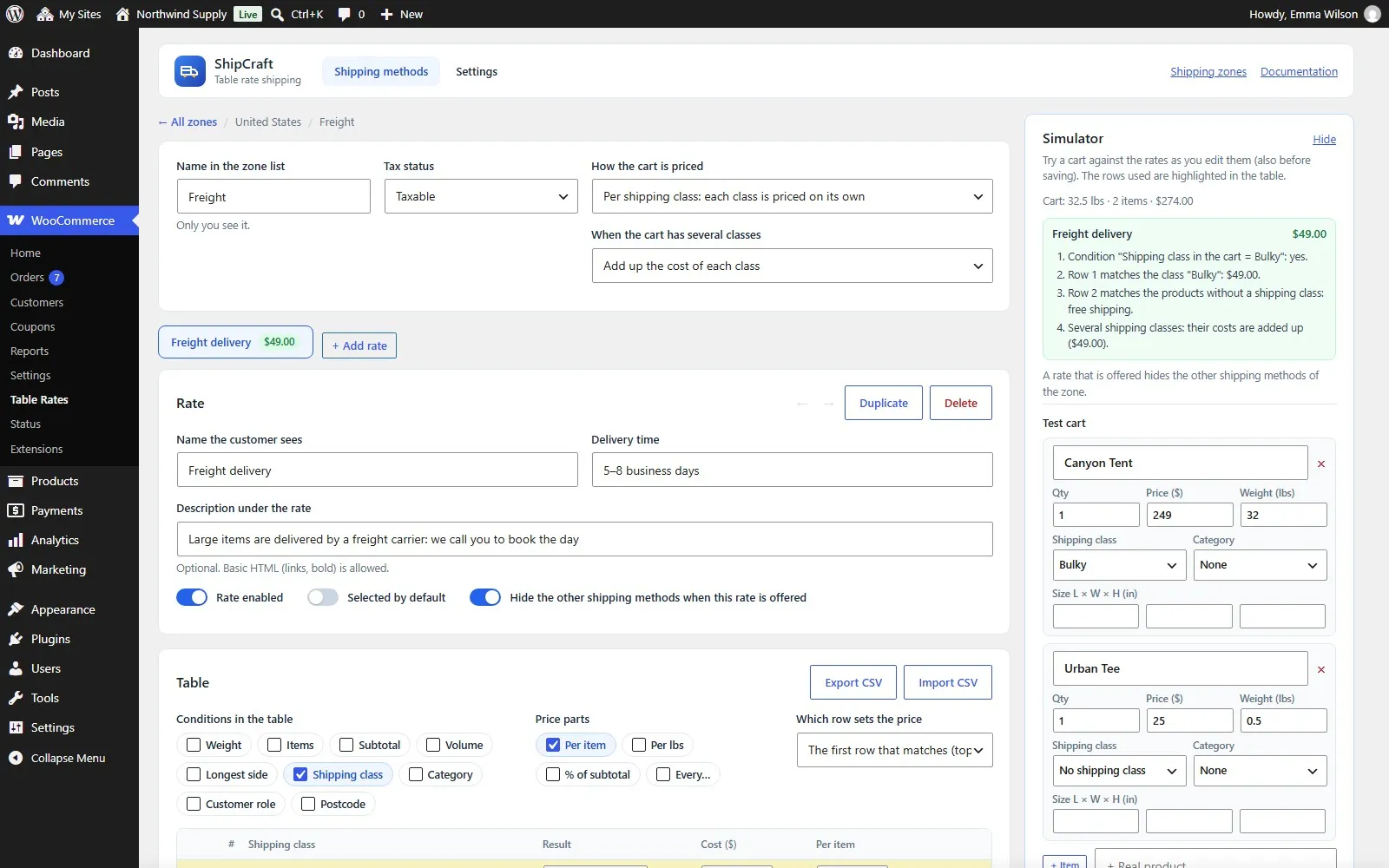
  • Per order, per shipping class, per product line or per item
  • Several classes: add them up, charge the most expensive or the cheapest
  • Volumetric weight with your carrier's divisor
  • Subtotal with or without taxes, before or after coupons

When a rate is offered

  • Subtotal, total weight, number of items (at least / at most)
  • Product, category or shipping class in the cart
  • Coupons, customer roles and guests, postcodes
  • Days of the week, time windows (also over midnight) and date ranges
  • All or any of the conditions

Fees, limits and free shipping

  • Handling fee: fixed and/or % of the subtotal
  • Minimum and maximum cost per rate
  • Free from a subtotal, free with free shipping coupons
  • Rate selected by default; hide the other shipping methods when a rate is offered
  • Hide paid shipping when a free option exists (local pickup is kept)

Simulator

  • Made-up items or real products, quantity, price, weight, size, class and category
  • Country, postcode, customer role, coupons, date and time
  • Price of every rate with the rows used highlighted in the table
  • Step-by-step explanation of conditions, rows, classes, fees and limits
  • Works with your unsaved changes

What customers see

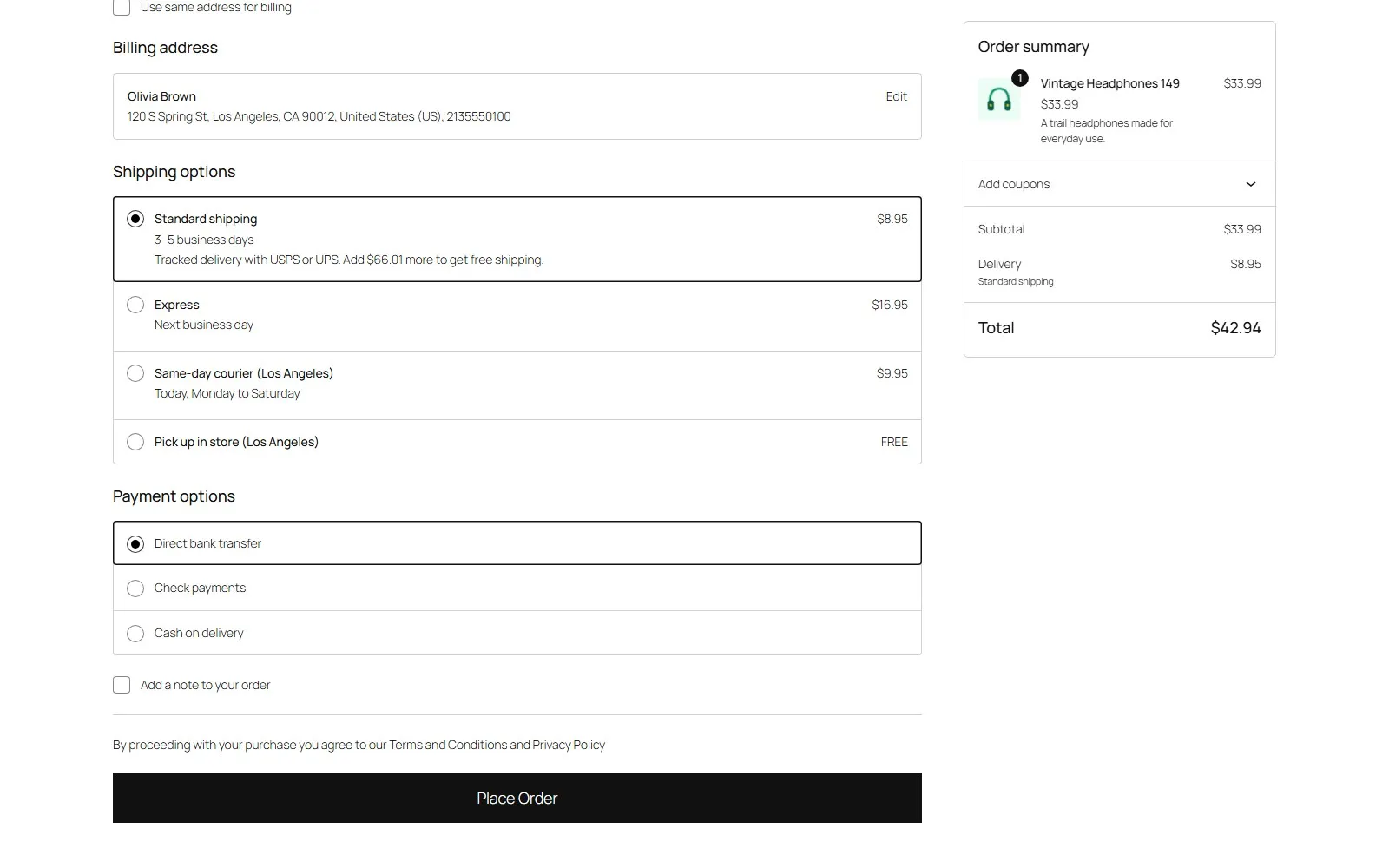
  • Delivery time and description under each rate (classic and block checkout)
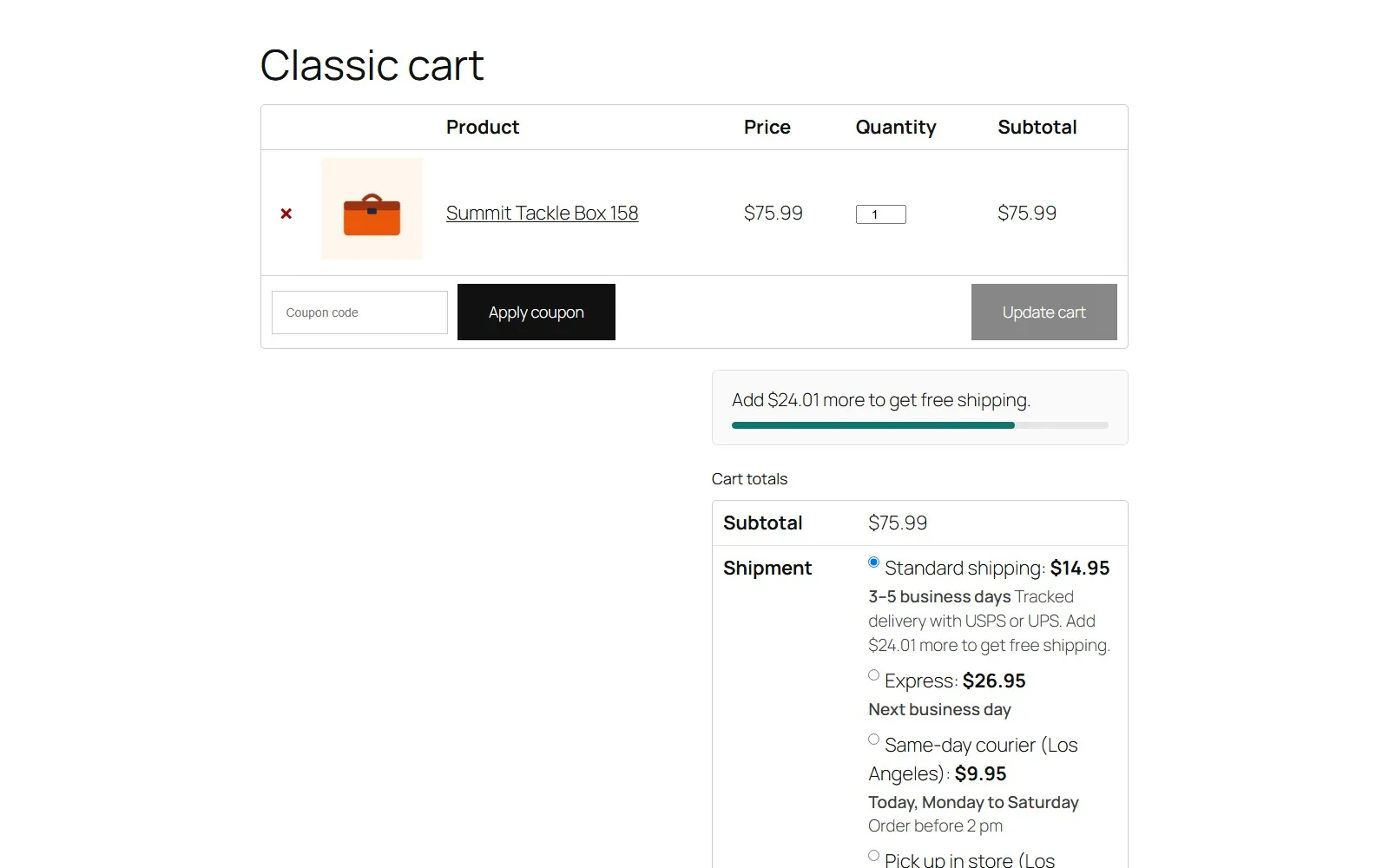
  • "Add $X more to get free shipping" under the rate
  • Free shipping progress bar in the classic cart and the [shipcraft_progress] shortcode

Compatible

  • WooCommerce shipping zones, next to flat rate, free shipping, local pickup and other methods
  • Block cart and checkout, classic cart and checkout
  • High-Performance Order Storage (HPOS) and classic storage
  • Multisite, WPML string translation, translation ready (Spanish included)

See it working

ShipCraft
ShipCraft
Rate table and simulator
Rates in the block checkout
Simulator step by step
Per shipping class
Per shipping class
Rate conditions
Rate conditions
Free shipping progress bar
Shipping zones
Shipping zones

Requirements

  • WordPress 6.5 or newer
  • WooCommerce 8.9 or newer
  • PHP 7.4 or newer

ShipCraft

35 USD/year · 69 USD lifetime

Try the live demoYearly licence · 35 USDLifetime licence · 69 USD

5 sites and unlimited sites are chosen at checkout.

Questions before buying: hola@melopo.com

Your store, watched every day

Plugins add features. Melopo Radar tells you when something stops selling: outages, payment gateways that fail, products without price or photo, duplicates and broken links, sorted by the money each problem costs you.

More plugins for your store

See all plugins