DeliveryCraft WooCommerce Delivery Dates & Slots

"When will it arrive?" Answered before they ask.

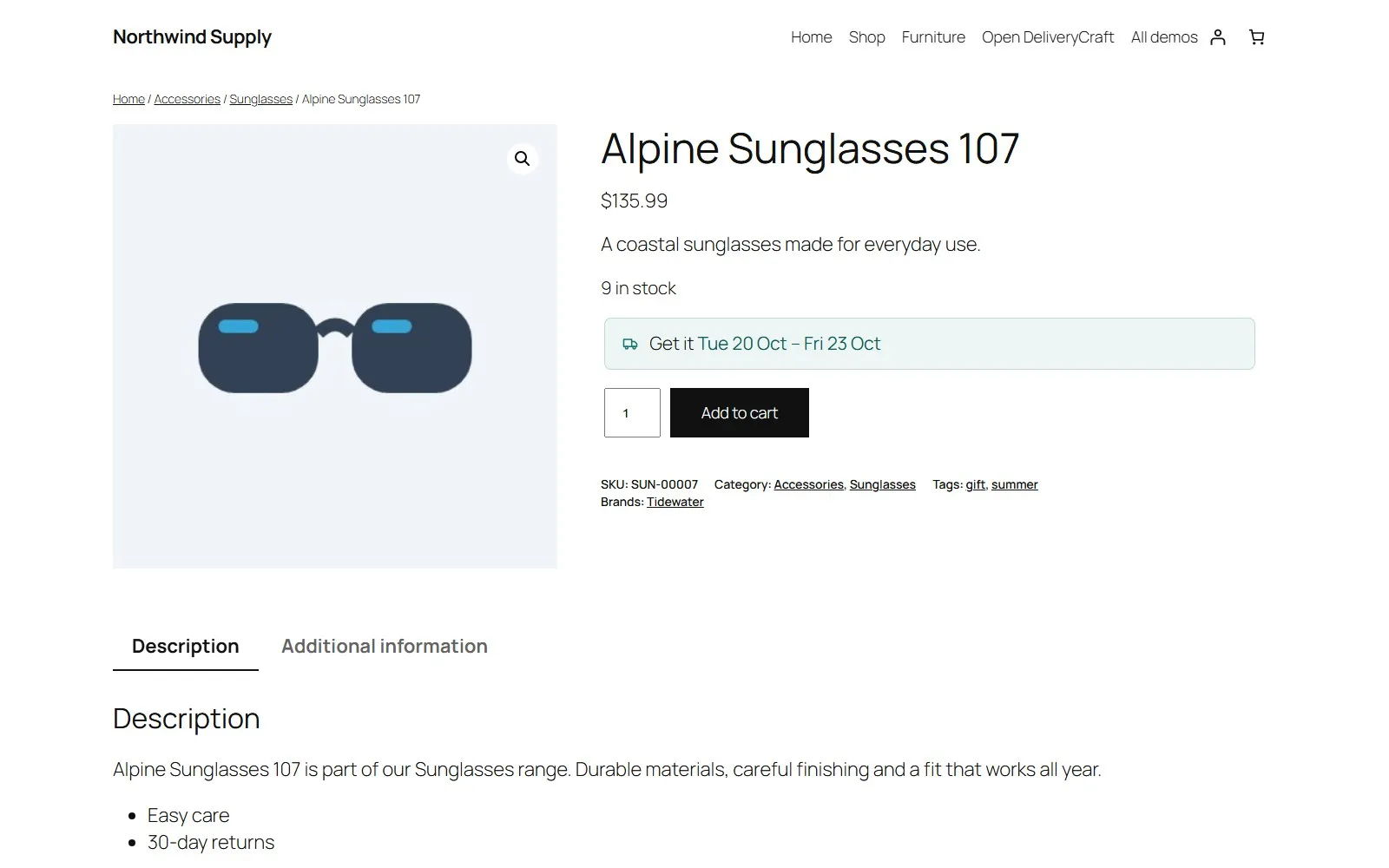
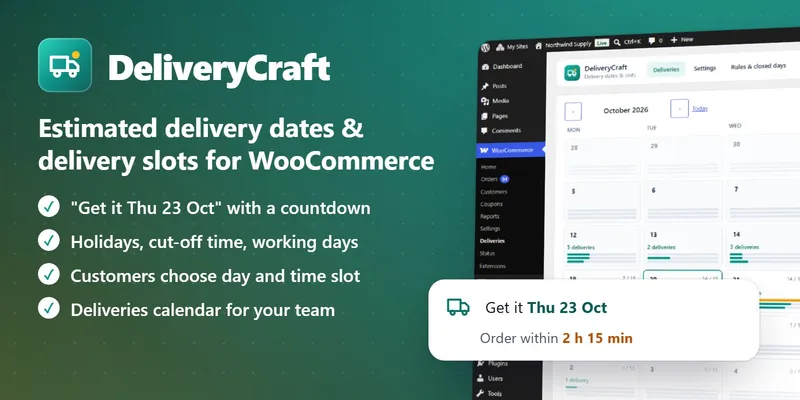
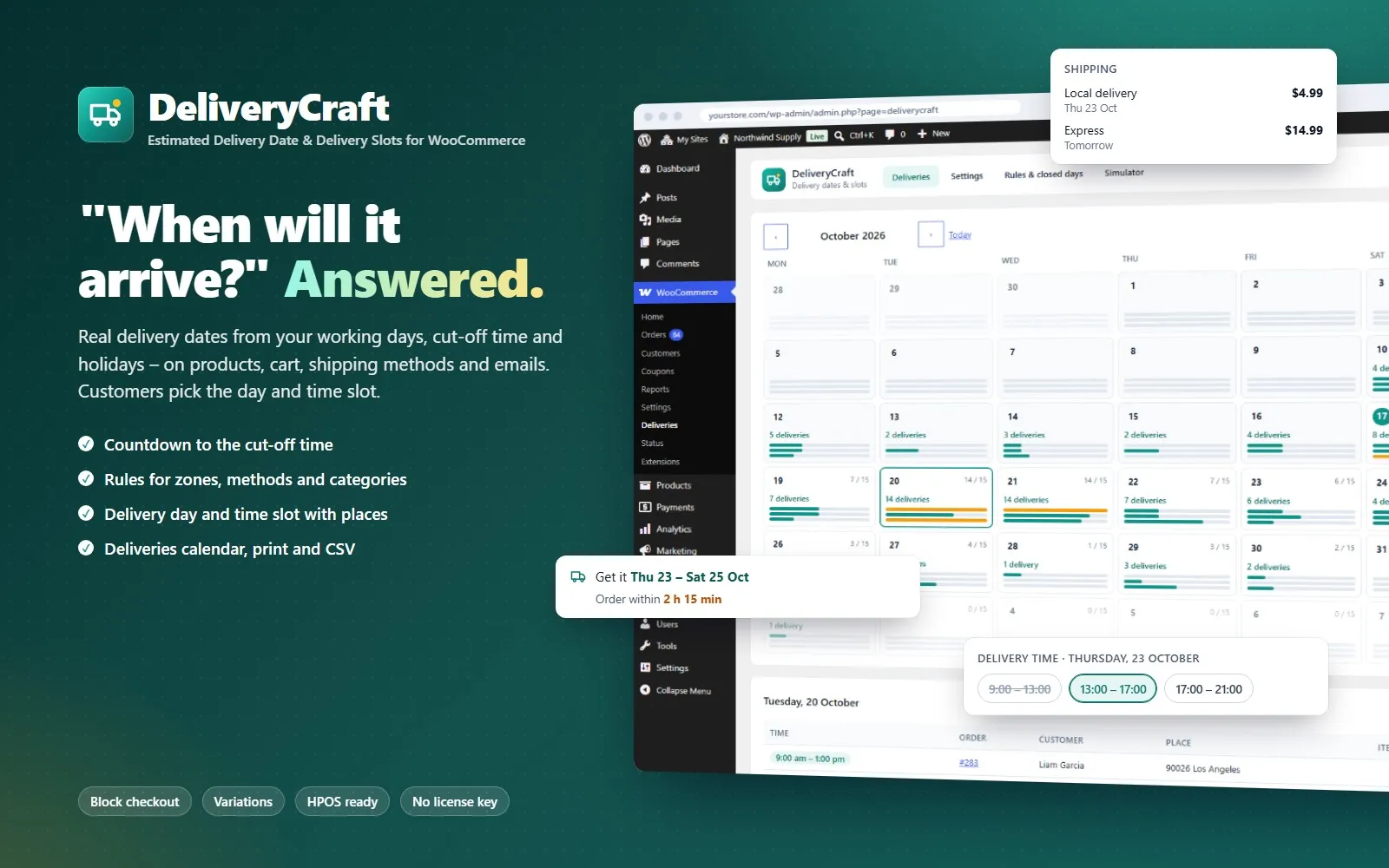
DeliveryCraft shows customers when their order arrives – "Get it Thu 23 Oct · order within 2 h 15 min" – on the product page, in the cart, under each shipping method and in the order emails. For local delivery, customers choose the day and the time slot at checkout, and you decide how many orders each day and slot can take.

Dates are calculated from your real working days: preparation days, transit days, cut-off time, the days you dispatch, the days your carrier delivers and your holidays.

Yearly or lifetime licence (69 USD for 1 site), also for 5 or unlimited sites. 14-day money-back guarantee, no questions asked. If the licence expires the plugin keeps working; only updates and support stop.
DeliveryCraft – WooCommerce Delivery Dates & Slots

DeliveryCraft in 45 seconds

What DeliveryCraft does

Accurate dates

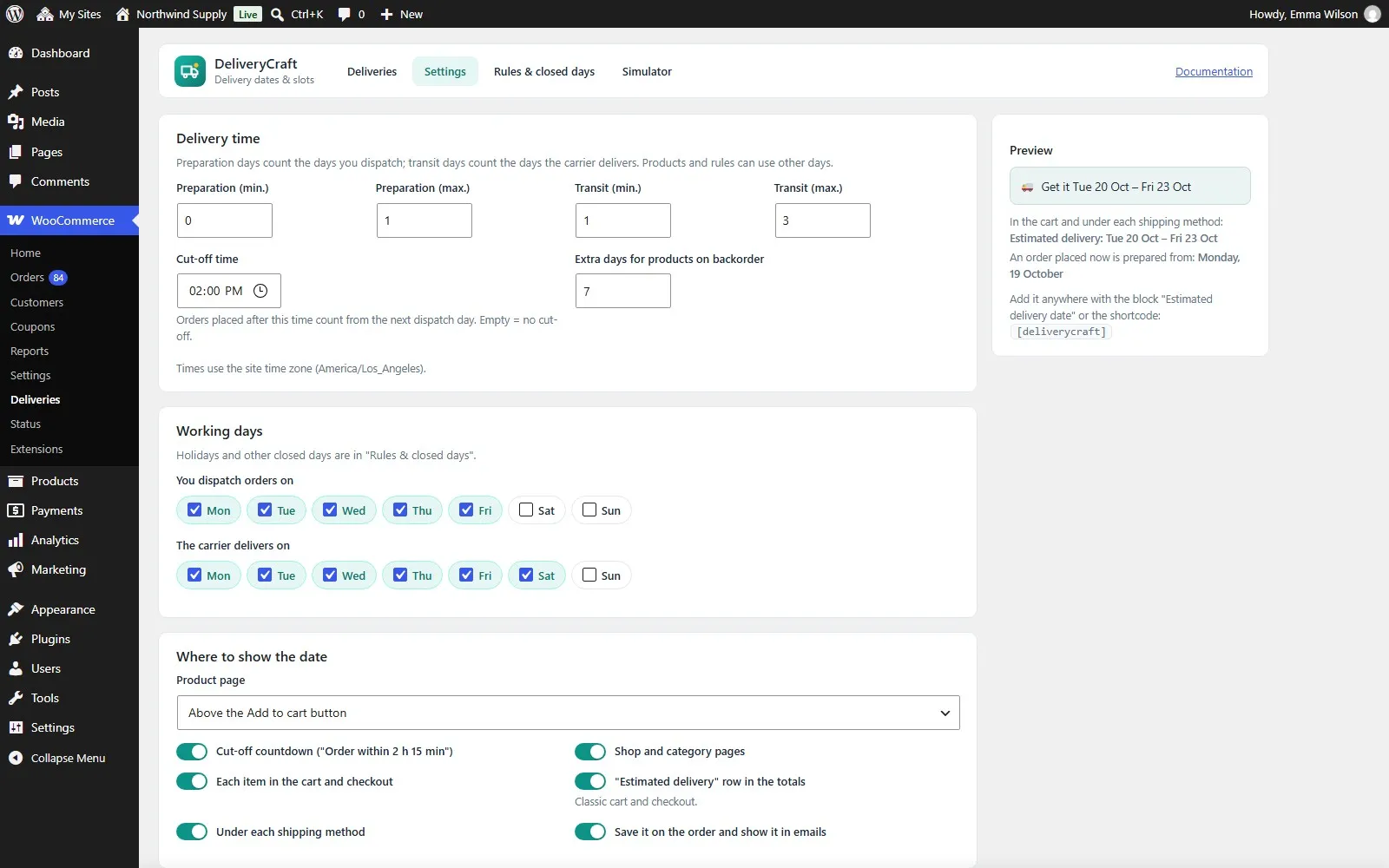
  • Preparation days and transit days, each with a minimum and a maximum
  • Cut-off time: orders after it count from the next dispatch day
  • Separate weekdays for dispatch and for delivery (for example ship Monday–Friday, deliver Monday–Saturday)
  • Closed days: single days or periods, once or every year (24 Dec – 6 Jan crosses the new year), closed for dispatch, delivery or both
  • Extra days for products on backorder
  • Uses your site time zone

Rules and product settings

  • Rules in order, the first that matches wins: categories, tags, shipping classes, stock status, shipping zones and shipping methods
  • Each rule uses its own days, ships from a date (pre-orders) or shows no date
  • Express next day, bulky furniture in a week, islands without a date: all in a few clicks
  • Per product: its own preparation time (made to order), a "ships from" date, or no date

Shown where it sells

  • Product page, above or below Add to cart or with the product meta, and on each variation
  • Cut-off countdown that keeps working on cached pages (the date refreshes itself)
  • Shop and category pages, an "Estimated delivery date" block and a shortcode
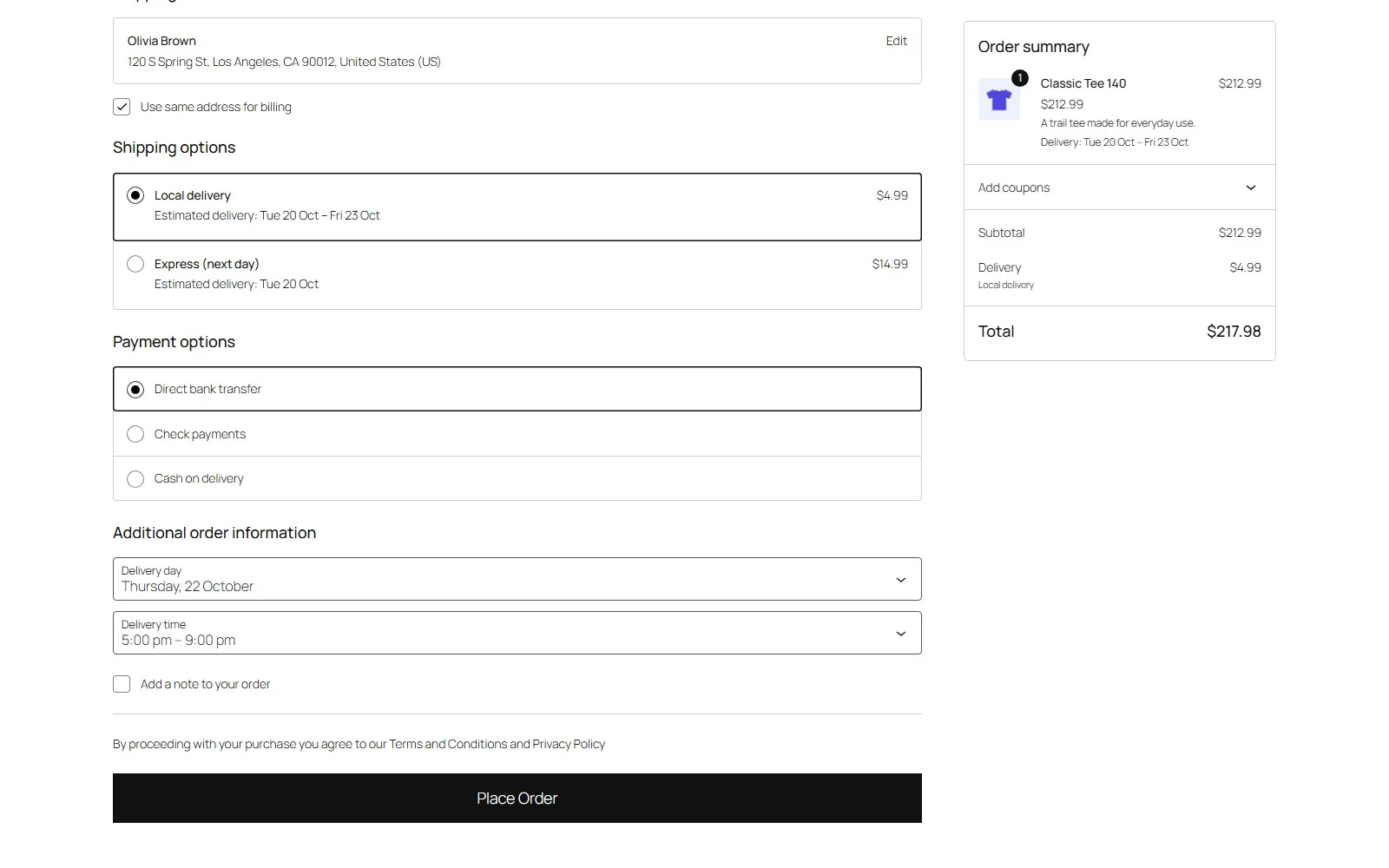
  • Cart and checkout: each item, an "Estimated delivery" row and the date under each shipping method – also in the block checkout
  • Formats: date, weekday this week ("tomorrow", "Thursday"), or "in 3 days"; ranges or the latest day only; your own texts and colour with a live preview

Delivery day and time slot

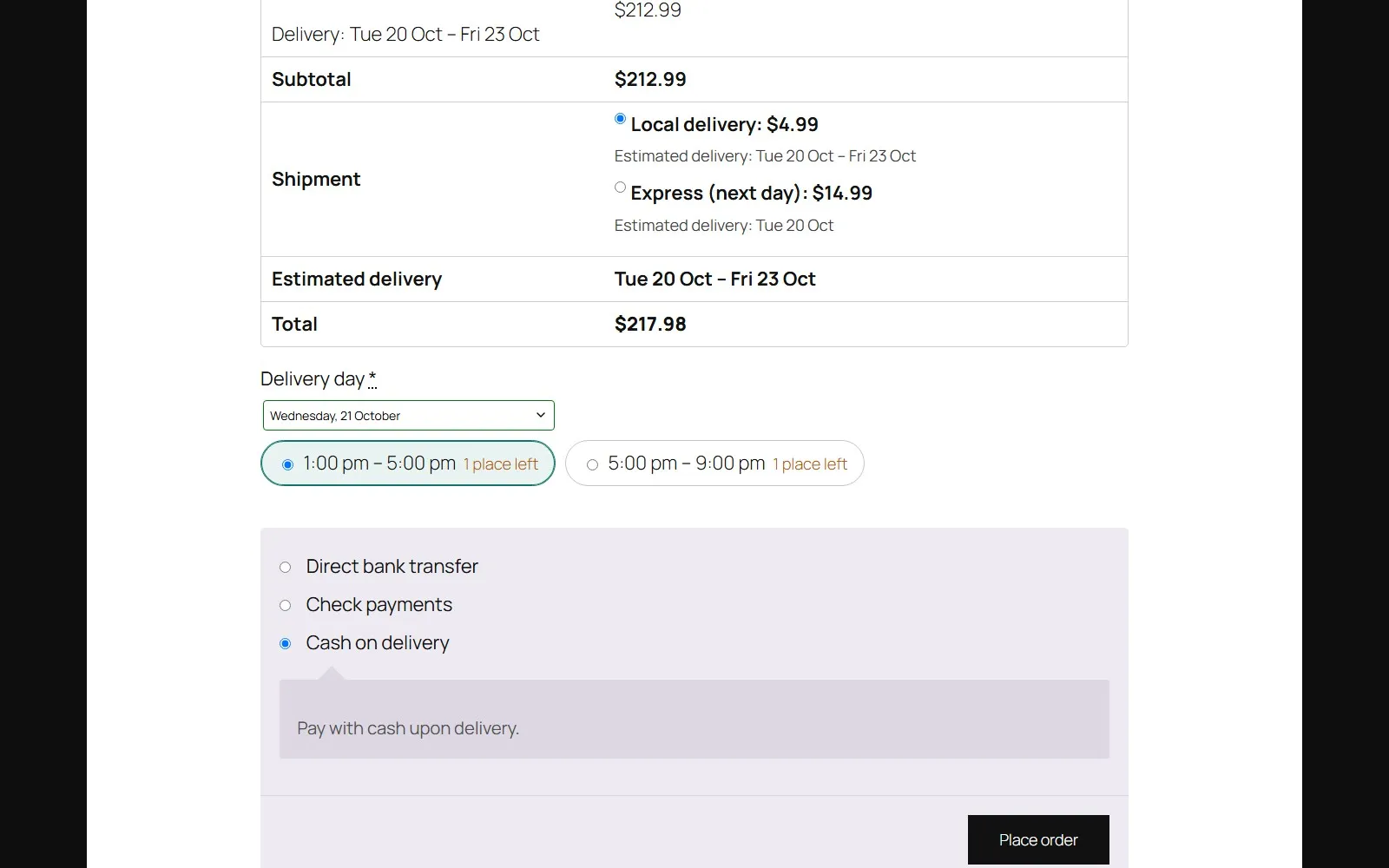
  • Customers choose the day (and the time slot) in the classic and the block checkout
  • Only for the shipping methods you choose, for example your local delivery
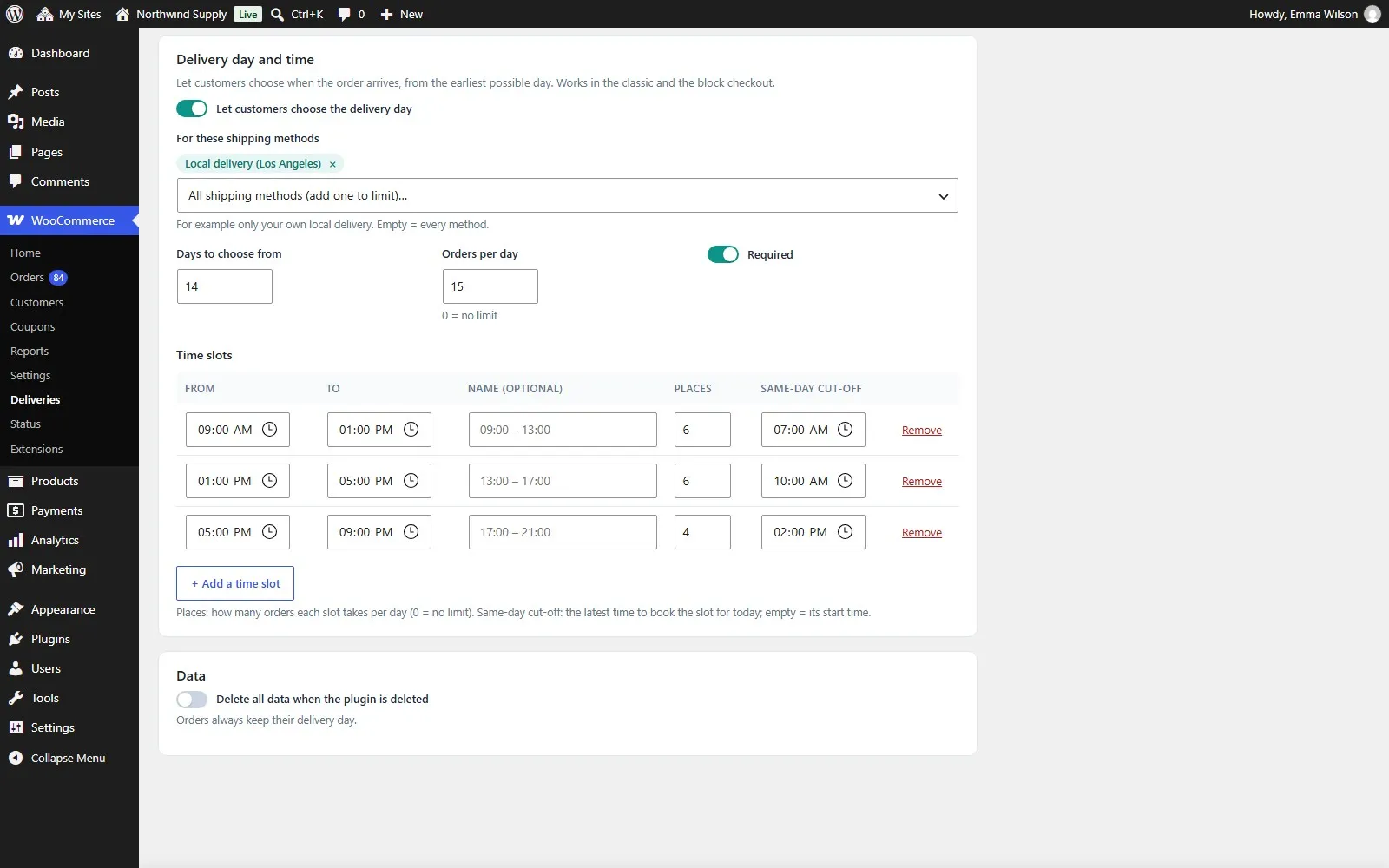
  • Places per day and per time slot; full days and slots are not offered
  • Same-day cut-off per slot (book the evening slot until 2 pm)
  • Checked again when the order is placed; cancelled orders free their place
  • Required or optional

Deliveries calendar

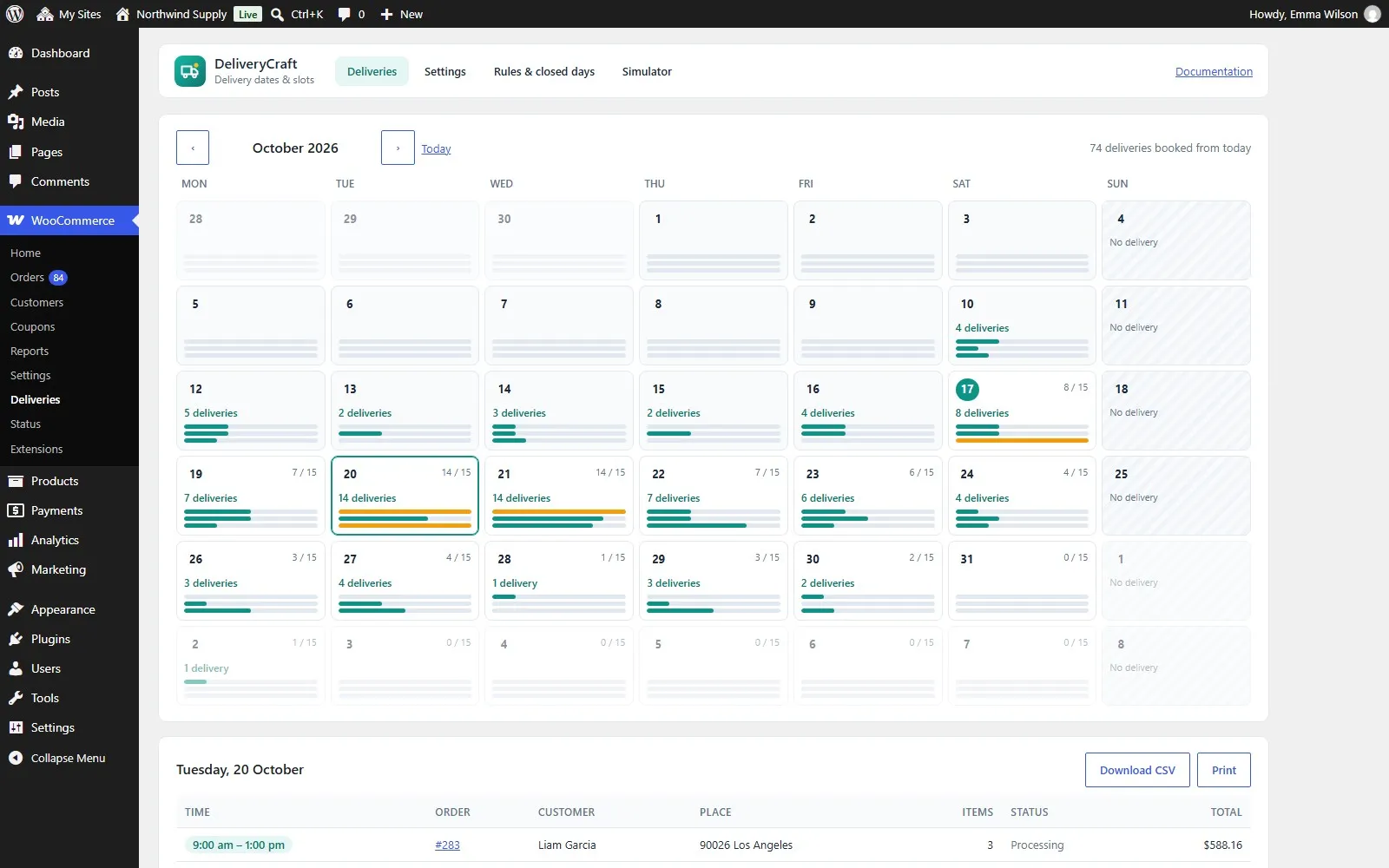
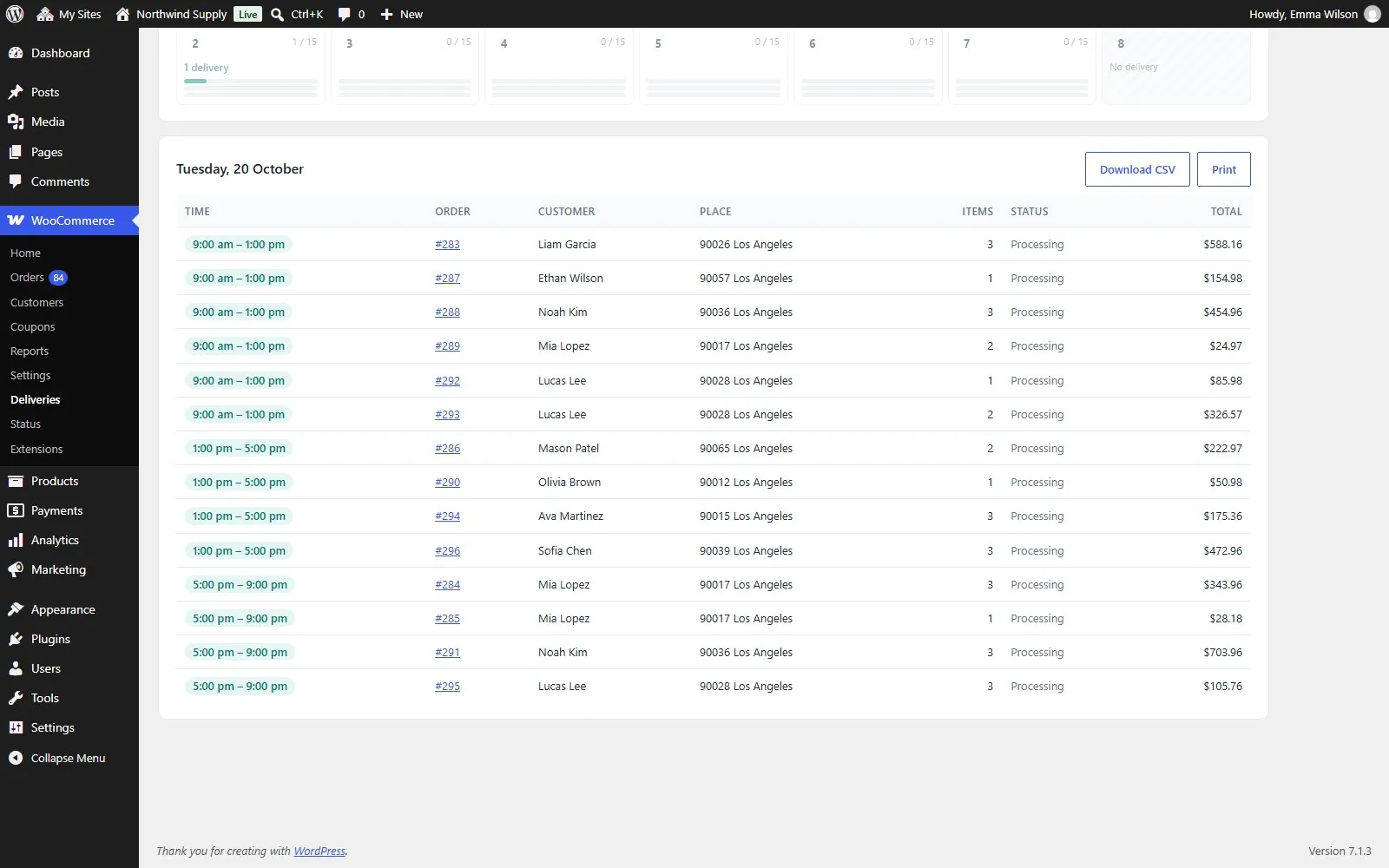
  • Month view with the deliveries of each day and how full each slot is
  • The list of the day by time slot, with address and items
  • Print it or download a CSV for the driver
  • "Delivery" column in the orders list; change the day and time of an order

Orders and emails

  • The estimate is saved on each order
  • Day and time, or the estimate, in the order screen, the thank-you page, My account and every order email

Simulator

  • Any product, zone, shipping method and order time: see the date and every step of the calculation, and which rule was used

Compatible

  • High-Performance Order Storage (HPOS) and classic storage
  • Block checkout and classic checkout
  • Block themes and classic themes
  • Multisite, WP-CLI, translation ready (Spanish included)

See it working

DeliveryCraft
DeliveryCraft
Delivery date and countdown
Block checkout day and time
Classic checkout time slots
Deliveries calendar
Deliveries calendar
Deliveries of the day
Settings with live preview
Time slots and places

Requirements

  • WordPress 6.5 or newer
  • WooCommerce 8.9 or newer
  • PHP 7.4 or newer

DeliveryCraft

35 USD/year · 69 USD lifetime

Try the live demoYearly licence · 35 USDLifetime licence · 69 USD

5 sites and unlimited sites are chosen at checkout.

Questions before buying: hola@melopo.com

Your store, watched every day

Plugins add features. Melopo Radar tells you when something stops selling: outages, payment gateways that fail, products without price or photo, duplicates and broken links, sorted by the money each problem costs you.

More plugins for your store

See all plugins